我的购物车
Nintendo eShop™Store Gift Card (USD $10) Indonesia
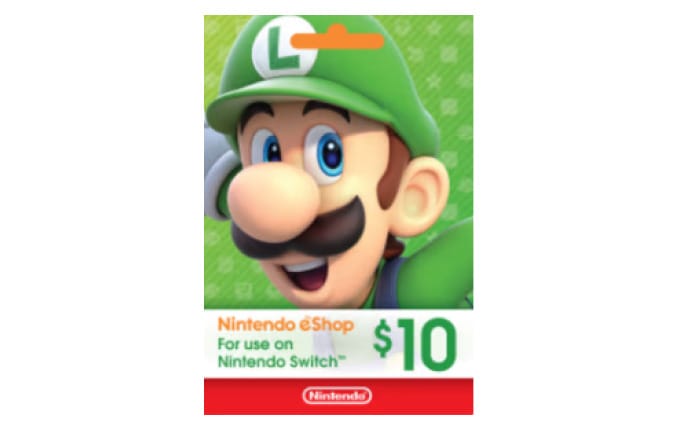
 可在印度尼西亚兑换
线上使用
选择面值
1 种面值(IDR)01选择面值1 种固定面值(IDR)。
02用加密货币支付Bitcoin、USDT 及 200+ 种币。
03通过邮件接收兑换码付款确认后立即发送。
Voucher Nintendo eShop merupakan kartu digital yang berisi kode unik. Kode tersebut bisa ditukarkan di platform Nintendo eShop untuk isi saldo ke akun Nintendo Anda.
Nintendo E-vouchers are digital cards that contain a unique code. The code can be exchanged on the Nintendo eShop platform to top up your Nintendo account.
Online: 1. Redeem Melalui Nintendo Switch
- Untuk pengguna Nintendo Switch, Anda perlu mengakses beranda Nintendo terlebih dahulu.
- Kemudian, cari dan klik ikon Nintendo eShop.
- Lalu, pilih akun yang Anda gunakan.
- Anda akan melihat kotak oranye di sebelah kiri layar. Cari ‘Enter Code’ dan masukkan kode voucher di tempat yang tersedia.
- Selesaikan proses dengan klik ‘OK’ dan saldo pun akan segera bertambah.
2. Melalui Nintendo 3DS
- Apabila Anda menggunakan Nintendo 3DS, ikon Nintendo eShop bisa ditemukan di halaman Beranda.
- Setelah menemukan ikon, geser layar ke kiri dan cari ‘Add Funds’.
- Kemudian, pilih ‘Redeem a Nintendo eShop Card’ dan masukkan kode yang Anda miliki.
- Klik ‘OK’ untuk menyelesaikan proses dan saldo akan bertambah setelahnya.
3. Menukarkan Voucher di Wii U
- Langkah pertama yang harus Anda lakukan adalah ke meny Wii U dan klik ikon Nintendo eShop.
- Setelahnya, pilih ‘Enter Download Code’ yang ada di bagian atas layar anda.
- Lalu, masukkan kode dan selesaikan perintah. Saldo pun akan segera bertambah.
1. Redeem Through Nintendo Switch
- For Nintendo Switch users, you need to access the Nintendo homepage first.
- Then, find and click the Nintendo eShop icon.
- Then, select the account you are using.
- You will see an orange box on the left side of the screen. Find ‘Enter Code’ and enter the e-voucher code in the space provided.
- Complete the process by clicking ‘OK’ and the balance will be added immediately.
2. Through Nintendo 3DS
- If you are using a Nintendo 3DS, the Nintendo eShop icon can be found on the Home page.
- After finding the icon, swipe the screen to the left and find ‘Add Funds’.
- Then, select ‘Redeem a Nintendo eShop Card’ and enter the code you have.
- Click ‘OK’ to complete the process and the balance will be added afterward.
3. Redeeming E-vouchers on Wii U
- Go to the Wii U and click the Nintendo eShop icon.
- After that, select ‘Enter Download Code’ at the top of the device screen.
- Then, enter the code and complete the command. The balance will increase immediately.
1. Kode voucher ini berlaku untuk transaksi di Nintendo eShop
2. Kode voucher berlaku hingga tanggal yang tertera di dalamnya.
3. 1 kode voucher hanya dapat digunakan untuk 1 transaksi (tidak dapat dikembalikan dan selisih lebih dibayarkan oleh pengguna).
4. Kode voucher tidak dapat digabung penggunaannya dalam 1 transaksi.
5. Nintendo eShop berhak untuk membatalkan transaksi jika ditemukan informasi kode voucher sudah pernah digunakan sebelumnya dan ditemukan indikasi penyalahgunaan kode voucher oleh pengguna.
1. This e-voucher code is valid for transactions on Nintendo eShop
2. The e-voucher is valid until the date stated on it.
3. Each e-voucher code can only be used for 1 transaction (non-refundable and the user pays the difference).
4. E-voucher codes cannot be combined in 1 transaction.
5. Nintendo eShop has the right to cancel the transaction if it is found that the e-voucher code information has been used previously and there are indications of misuse of the e-voucher code
常见问题
在 KryptoMate 选择 Nintendo eShop™Store Gift Card (USD $10) Indonesia 礼品卡及面值,然后使用 Bitcoin、Ethereum、USDT 或所支持的 200 多种加密货币中的任意一种付款。价格在付款前显示;付款确认后,卡码会发送到您的邮箱。
可在印度尼西亚兑换
1 种面值(IDR)
邮件发货(0–24h)
可以,此面值每单最多 50 张。